16340
Thumbnail:
array(4) { [0]=> string(85) "https://www.hometips.com/wp-content/uploads/2013/04/timer-light-switch-Intermatic.jpg" [1]=> int(432) [2]=> int(432) [3]=> bool(false) }
NULL

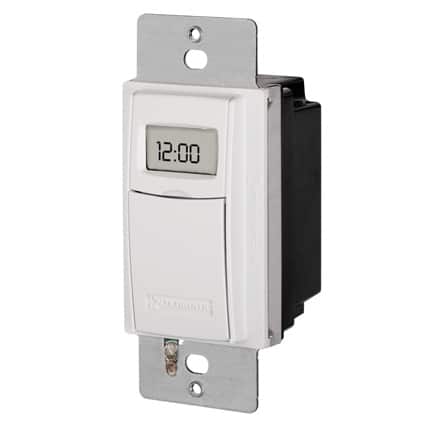
Installing a timer light switch lets you automatically turn lights on and off for convenience, security, and energy savings. Most timer switches can be installed in place of a standard switch in under an hour.

In This Article:
Quick Answer
How Timer Switches Work
Before You Start
Step-by-Step Installation
When to Call a Pro
FAQs

A timer light switch replaces a standard wall switch and allows you to control lighting automatically. These are commonly used for outdoor lights, security lighting, and energy-saving indoor applications.

Most timer switches require a neutral wire. If your switch box doesn’t have one, you’ll need a different type of timer or professional installation.

👉 For general wiring help, see the complete light switch wiring guide.

Quick Answer

To install a timer light switch, turn off power, remove the old switch, connect the timer’s wires to the circuit wires (ground, neutral, and hot), mount the switch, and restore power.

Bottom line: Installation is similar to replacing a standard switch, but requires proper identification of neutral and hot wires.

How a Timer Light Switch Works

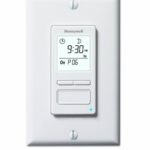
A timer switch controls electrical flow based on a preset schedule. Depending on the model, it may use a mechanical dial, digital programming, or smart controls.

Most modern timer switches include:

  • A neutral wire connection
  • A ground wire
  • Line (power in) and load (power out) connections
timer light switch wiring example
Wiring a timer switch is similar to wiring a standard light switch.

Before You Start

  • Confirm the timer switch is compatible with your wiring
  • Check for a neutral wire (required for most timers)
  • Have a voltage tester and wire connectors ready

How to Install a Timer Light Switch

Safety Warning:
Before working on a light switch, always turn off power at the circuit breaker and confirm the circuit is not live using a voltage tester. Working on live wiring can result in serious injury.

1. Turn Off Power

Turn off the circuit breaker controlling the switch. Use a voltage tester to confirm that the circuit is not energized.

2. Remove the Existing Switch

Take off the cover plate and unscrew the switch. Gently pull it out of the electrical box.

3. Identify the Wires

Separate the wires so they are not touching. Identify:

  • Line (power in)
  • Load (to the light)
  • Neutral (white wires, if present)
  • Ground (bare or green wire)

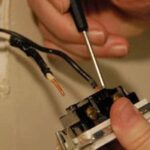
4. Connect the Timer Switch Wires

  • Connect ground wire to ground lead
  • Connect neutral wire to neutral lead
  • Connect line wire to the timer’s line lead
  • Connect load wire to the remaining lead

👉 If wiring is unclear, see light switch wiring diagrams.

5. Secure the Switch

Tuck the wires carefully into the box and screw the timer switch into place.

6. Attach the Cover Plate

Install the cover plate and ensure the switch sits flush against the wall.

7. Restore Power and Test

Turn the breaker back on and test the switch. Program the timer according to the manufacturer’s instructions.

When to Call an Electrician

  • No neutral wire is present
  • You’re unsure how to identify line vs load
  • The wiring does not match standard configurations
  • The switch controls multiple circuits
Need Professional Help?
If you’re unsure about wiring or your switch box doesn’t have a neutral wire, it’s best to have a licensed electrician install the timer safely.Find a local electrician

FAQs

Do all timer switches require a neutral wire?

No, but most modern digital timer switches do.

Can I install a timer switch myself?

Yes, if you are comfortable working with electrical wiring and follow proper safety precautions.

What if my box doesn’t have a neutral wire?

You’ll need a timer switch designed for no-neutral installations or professional help.

Are timer switches better than smart switches?

Timer switches are simpler and more reliable, while smart switches offer more flexibility and remote control.

Next See

Author Image
About Don Vandervort
Don Vandervort has developed his expertise for more than 40 years as a remodeler and builder, Building Editor for Sunset Books, Senior Editor at Home Magazine, author of more than 30 home improvement books, and writer of countless magazine articles. He appeared for 3 seasons on HGTV’s “The Fix,” served as MSN’s home expert for several years, and is featured as Yelp's home improvement expert. Don founded HomeTips in 1996. Read more about Don Vandervort